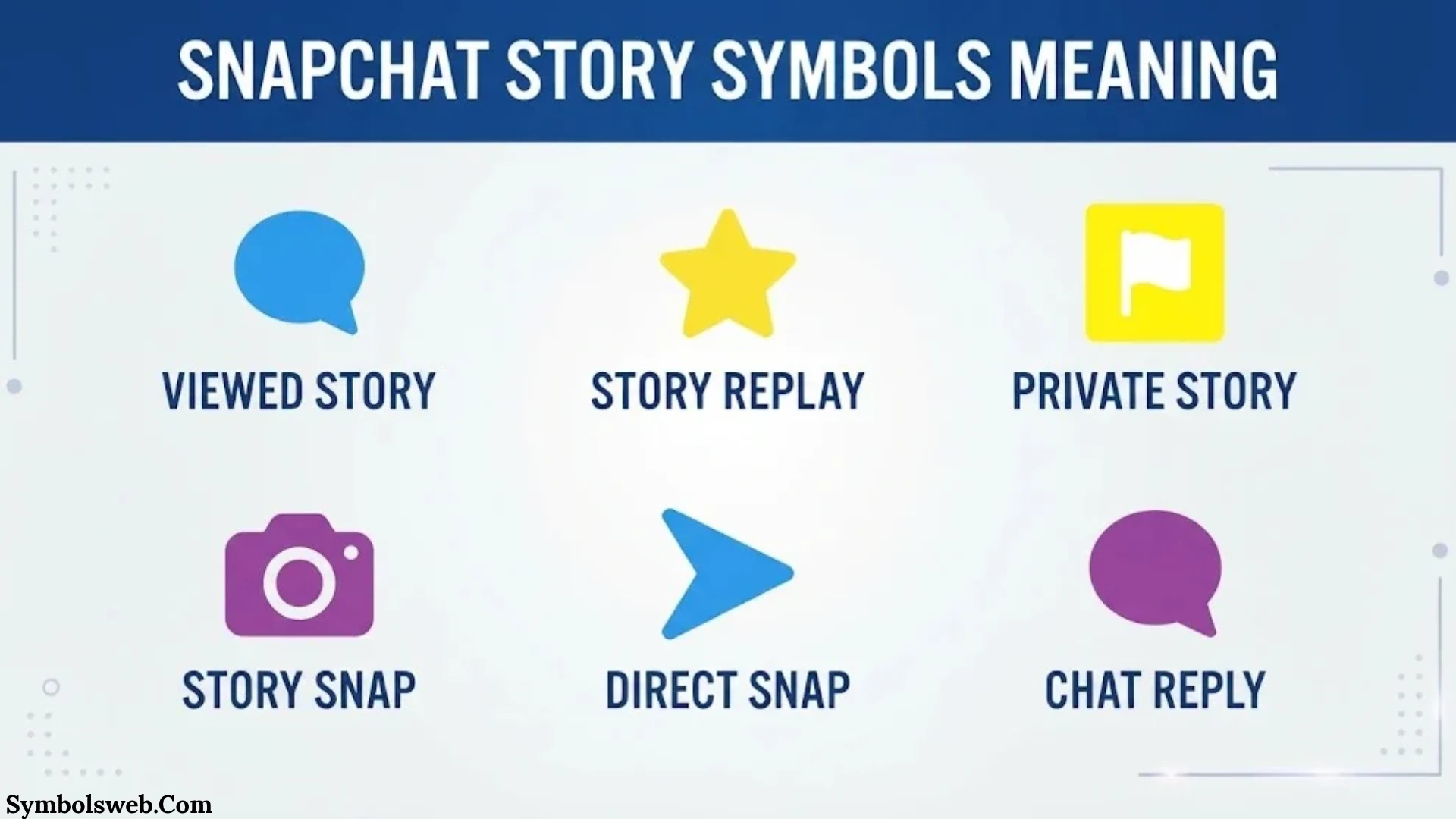
Snapchat uses different symbols, colors, rings, and emojis to show what’s happening across the app. Some icons tell you when a friend has posted a Story. Others identify Private Stories, show recent activity, or help you understand who has watched your content.
However, these symbols can be confusing. A purple Story ring doesn’t mean the same thing as a purple Chat icon. A green dot doesn’t confirm that someone has watched your Story. Even the eye emoji has a specific meaning that many Snapchat users misunderstand.
Understanding Snapchat symbols’ meaning on Story helps you recognize these differences. You can identify Story activity, understand privacy indicators, check viewers, and learn which features require Snapchat+.
This guide covers the main Snapchat Story symbols and meanings, including colored rings, the lock icon, green activity dots, viewer indicators, screenshot notifications, friendship emojis, and premium features. It also explains how to check your Story settings and avoid common mistakes when interpreting Snapchat icons.
Quick Guide to Snapchat Symbols Meaning on Story
Here’s a quick reference to the most common Snapchat symbols connected to Stories and related features.
| Snapchat symbol | Meaning |
| Purple Story ring | Commonly indicates an available Story you haven’t viewed |
| Circular Story preview | Shows that a friend has updated their Story |
| Lock icon 🔒 | Identifies a Private Story |
| Green activity dot | Indicates that a friend has been active recently |
| Yellow notification dot | Indicates profile updates or notifications |
| Eyes emoji 👀 | Shows how many friends rewatched your Story with the Snapchat+ Rewatch Indicator |
| Story viewer list | Shows available names of people who watched your Story |
| Screenshot indicator | Shows that someone took a screenshot of your Story |
| Yellow heart 💛 | You and another person are each other’s #1 Best Friends |
| Red heart ❤️ | You’ve been each other’s #1 Best Friends for two weeks |
| Pink hearts 💕 | You’ve been each other’s #1 Best Friends for two months |
| Fire emoji 🔥 | Represents an active Snapstreak |
| Hourglass ⌛ | Warns that a Snapstreak is close to ending |
| Birthday cake 🎂 | Indicates a friend’s birthday when the feature is enabled |
| Camera icon | Provides access to Snap-related actions |
| Chat bubble | Opens or identifies a Chat interaction |
| Share arrow | Provides available sharing options |
Important: Not every Snapchat symbol belongs to the Story feature. Some icons relate to Chat, friendship rankings, profile notifications, or Snapchat+. Their meaning depends on where they appear.
Snapchat Story Ring Colors and What They Mean
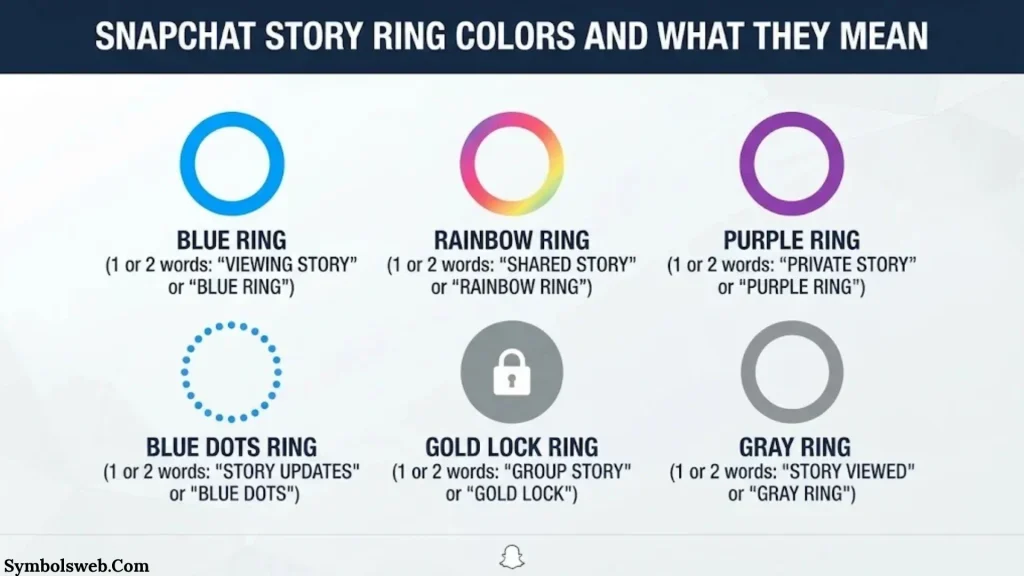
Colored rings are among the most recognizable Snapchat Story symbols. You may see them around a friend’s Bitmoji, profile picture, or circular Story preview.
These rings help you recognize Story-related activity. However, Snapchat doesn’t use every color as a universal code across all screens. You should consider the icon’s location and surrounding interface before deciding what it means.
Purple Circle Around a Snapchat Story
A purple circle around a friend’s profile picture or Bitmoji commonly indicates an available Story that you haven’t watched yet.
When you see this ring, you can tap the profile picture to open the Story.
The purple ring generally helps you identify:
- A friend’s available Story.
- Content you haven’t watched yet.
- A Story preview that you can open.
- New Story activity in your friends’ list.
For example, imagine that your friend posts three Snaps to their Story. You open Snapchat later and notice a purple ring around their Bitmoji. You can tap it to watch the available content.
Does the purple ring mean the Story is private?
No. A purple ring alone doesn’t confirm that a Story is private. Snapchat uses a padlock icon to identify Private Stories.
The purple ring is a Story-related visual indicator. The lock communicates audience privacy.
Blue Circle Around a Snapchat Story
A blue circular element can appear in Snapchat’s interface, but you shouldn’t assume that every blue circle represents the same feature.
Snapchat uses blue for certain Chat and navigation indicators. For example, a blue Chat icon relates to a message rather than confirming a Story’s privacy or viewing status.
When you see a blue circle, check where it appears:
- Around a friend’s Bitmoji.
- Beside a name in the Chat screen.
- Inside a profile.
- Around a Story preview.
- Within another Snapchat feature.
The location helps you identify its purpose. Don’t automatically interpret a blue circle as an unread Story or a special Snapchat+ feature.
Yellow or Gold Circle Around a Snapchat Story
Yellow and gold visual elements can also cause confusion.
A yellow heart beside a friend’s name has a specific friendship meaning. It indicates that you and that person are each other’s #1 Best Friends.
However, a yellow or gold circle around another interface element doesn’t automatically carry that meaning.
Check whether the symbol appears around a Story preview, beside a friend’s name, or inside a profile. These locations can represent different features.
There isn’t one universal gold-ring definition that applies to every Snapchat screen. Avoid treating gold coloring alone as proof of a Private Story, premium subscription, or special viewer status.
Gray Story Ring or Circle
A gray or faded circle can appear in different Snapchat interfaces.
In some situations, a faded Story preview may indicate that you’ve already watched the available content. However, gray indicators also appear in other parts of Snapchat.
For example, a gray pending indicator in Chat communicates a different message-related status.
A gray circle doesn’t automatically mean someone has:
- Blocked you.
- Deleted their Snapchat account.
- Removed you from their friends list.
- Hidden every Story from you.
Check the surrounding screen before drawing conclusions.
Why Do Snapchat Story Ring Colors Change?
Story indicators can change as you interact with content.
Several situations may affect what you see:
- Watching a Story: The unviewed Story indicator may change after you watch the available content.
- New Story uploads: A friend may add another Snap to an existing Story.
- Story expiration: Standard friends’ Stories are generally available for 24 hours.
- Deleted content: The creator may remove a Snap or Story.
- Privacy changes: Someone may change the audience for future Stories.
- App updates: Snapchat may adjust its interface and visual indicators.
- Different Story formats: Private, Shared, and Public Stories may have different appearances.
Snapchat confirms that a circular preview appears beside a friend’s name when they’ve updated their Story. If no preview appears, you’re generally up to date with that friend’s available Story content.
You can read the official explanation in Snapchat’s Story viewing guide.
Snapchat Story Lock Symbol Meaning
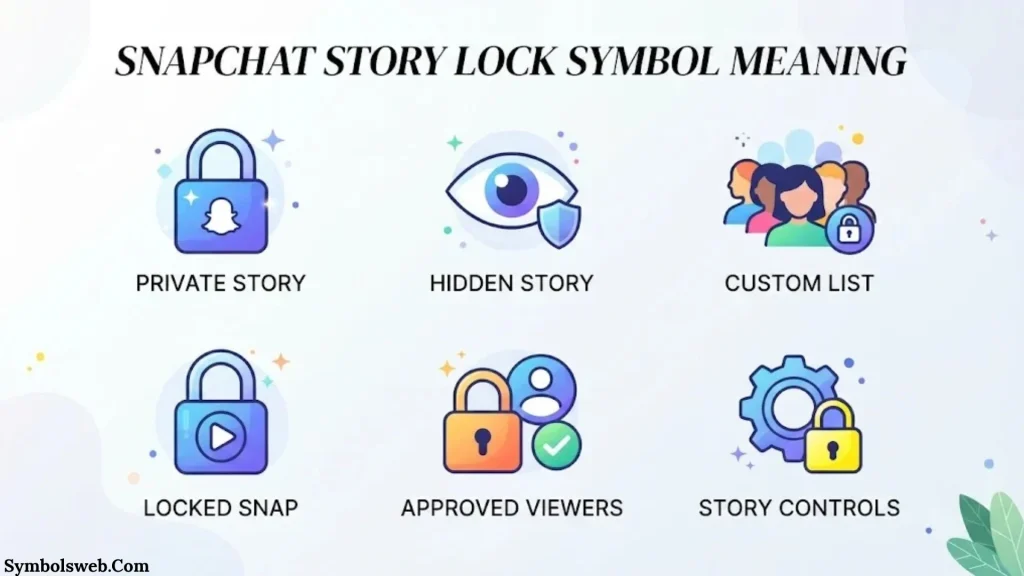
The padlock is one of the clearest Snapchat Story symbols.
When you see a small lock beside a Story, it identifies a Private Story. This feature lets someone share content with selected friends instead of making it available to their entire audience.
What Does the Lock Symbol Mean on Snapchat Story?
The lock symbol 🔒 means that the Story is private.
The creator chooses which friends can view the content. Only the creator can add Snaps to that Private Story.
For example, someone might create a Private Story for five close friends. They can share personal updates there without making those Snaps available to every friend on their account.
A Private Story gives its creator control over:
- Which friends can view the content.
- Which Snaps appear in the Story.
- What content they want to share.
- Whether they continue using or delete the Story.
Friends who can view the Private Story may see its Snaps mixed with regular My Story content. On Android, Snapchat may display Private Stories and My Stories separately.
Friends who aren’t invited aren’t notified that the Private Story exists.
How to Identify Someone’s Private Story
You can usually recognize a Private Story by its padlock icon.
Follow these steps:
- Open Snapchat.
- Go to the Stories screen or Chat screen.
- Look through your friends’ Story previews.
- Find the Story with a lock symbol.
- Tap it if you have permission to view it.
If you can open the Story, you’re among the people allowed to see that content.
However, seeing a Private Story doesn’t reveal the complete list of other invited viewers.
Can You See Who Else Can View a Private Story?
No. The lock icon doesn’t show every person who has access.
The creator controls the audience through the Private Story settings. Viewers can watch the content, but they don’t automatically receive access to the creator’s audience list.
If you’re the creator, you can manage the selected friends through your Story settings.
Private Story vs. Shared Story vs. Public Story
Snapchat offers different Story formats for different audiences.
| Feature | Private Story | Shared Story | Public Story |
| Main purpose | Share with selected friends | Share content with a group | Reach a wider audience |
| Audience | Creator-selected friends | Invited members and permitted viewers | Friends, followers, and other eligible Snapchatters |
| Who can add Snaps? | Creator only | Invited members | Account owner |
| Privacy | Restricted | Controlled through membership | Public visibility |
| Typical use | Personal updates | Group activities | Public content and creator posts |
A Private Story works well for personal updates. A Shared Story suits group activities and events. A Public Story helps creators reach people beyond their existing friend list.
Snapchat explains Private Stories in its official Private Stories guide.
Snapchat Story Viewer Symbols and Their Meanings
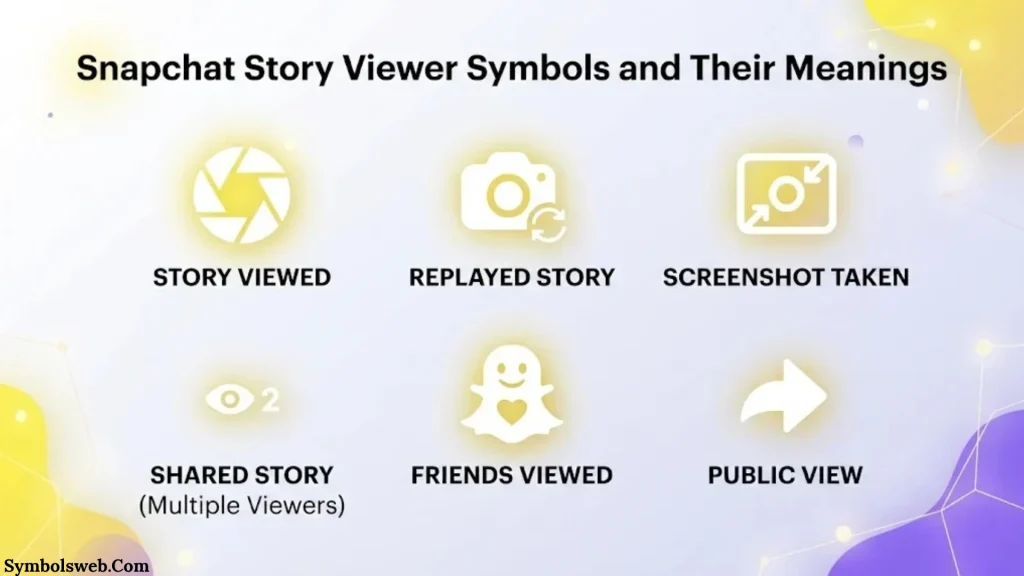
Snapchat provides several ways to understand how people interact with your Stories.
You can check viewer information, screenshot activity, and rewatch information when the relevant features are available.
These indicators don’t all measure the same thing.
Eye Symbol (👀) on Snapchat Story
The eyes emoji is one of the most searched Snapchat Story symbols.
When you see the eyes emoji beneath a Story you’ve posted, it represents Snapchat’s Rewatch Indicator.
This feature is available to Snapchat+ subscribers.
It shows how many friends have rewatched your Story. It doesn’t reveal which specific friends returned to the content.
For example, imagine your Story has 30 views and the eyes indicator shows 4.
That means four friends have rewatched your Story according to Snapchat’s indicator. It doesn’t mean the Story received only four views or that it was replayed exactly four times.
How to check the eyes emoji:
- Open Snapchat.
- Tap your profile.
- Open your posted Story.
- Swipe up to view its activity information.
- Look for the eyes emoji and its number.
You can manage this feature through your Snapchat+ membership settings.
Snapchat’s official documentation confirms that the number beside the eyes emoji represents friends who rewatched the Story. It doesn’t show total replays or identify individual friends.
Read the official Rewatch Indicator explanation.
Story Views Icon
The Story viewer list helps you understand who watched your content.
When someone opens your Story, Snapchat records the view and makes available viewer information accessible to you.
To check your Story viewers:
- Open Snapchat.
- Tap your profile.
- Open My Story.
- Swipe upward.
- Review the viewer names and available activity information.
Snapchat currently allows you to see the names of up to 200 Snapchatters who viewed your Story. After that, the app displays a number without listing additional names.
This distinction matters when your Story receives many views.
A view count tells you the number of views Snapchat reports. The viewer list shows the names available within the platform’s display limit.
Screenshot Symbol on Snapchat Story
The screenshot indicator tells you when someone captures a screenshot of your Story using Snapchat’s recognized screenshot functionality.
This feature matters because Stories often contain personal photos, videos, and everyday updates.
To check screenshot activity:
- Open your profile.
- Tap your active Story.
- Swipe up.
- Review the available viewer and screenshot information.
A screenshot isn’t the same as an ordinary view. Someone can watch your Story without taking a screenshot.
However, don’t assume Snapchat can detect every possible way someone might save content. Another person could photograph your screen using a second device, for example.
A disappearing Story isn’t a guarantee that nobody can save or share its content.
Snapchat confirms that its Story activity screen can show whether a screenshot was taken. You can find this information in its official Story viewer guide.
Story Rewatch Indicator vs. Story View Count
These two measurements are easy to confuse.
| Feature | Story view count | Rewatch indicator |
| What it measures | Views of your Story | Friends who rewatched your Story |
| Availability | Standard Story feature | Eligible Snapchat+ feature |
| Shows viewer names | Within the available viewer limit | No |
| Shows total replay events | No | No |
| Main purpose | Track Story views | Understand repeat engagement |
The Rewatch Indicator can help you understand whether friends return to your content.
However, it doesn’t explain why they watched it again. Someone might replay a funny video, revisit an interesting photo, or simply watch the Story another time.
Snapchat Story Activity Symbols and Green Dot Meaning
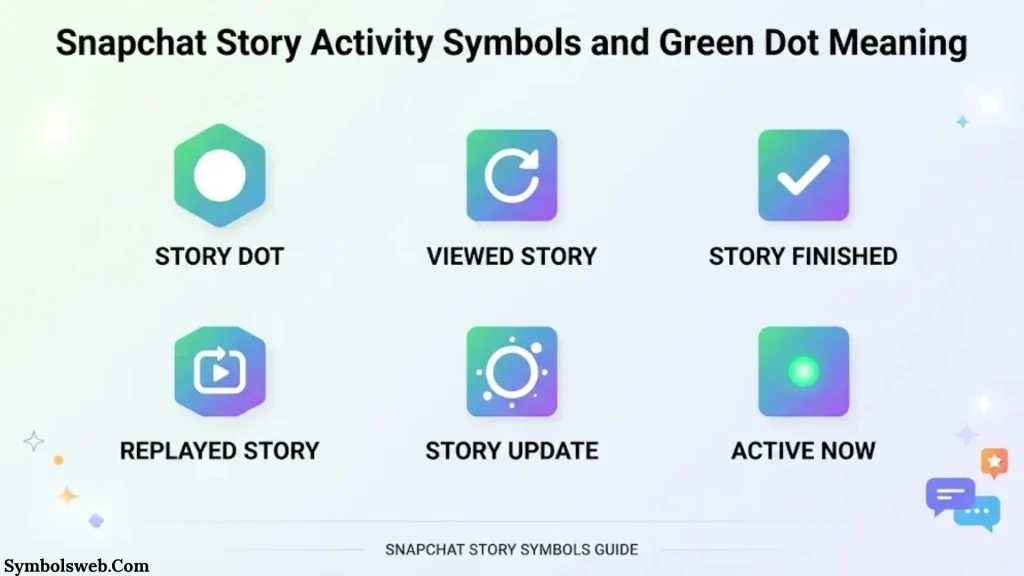
Snapchat also uses activity indicators to show when friends have recently used the app.
These symbols provide useful information, but they don’t reveal everything someone does on Snapchat.
Green Dot on Snapchat Profile
The green dot is one of the most misunderstood Snapchat activity symbols.
It indicates that a friend has been active on Snapchat recently. You may see it beside their avatar or profile picture.
However, it doesn’t guarantee that the person is currently online.
For example, someone might open Snapchat, check a message, and close the app. Their green activity indicator may remain visible for a period.
The green dot can indicate:
- Recent Snapchat activity.
- A friend who has used the app recently.
- Activity information when the indicator is enabled.
It doesn’t confirm that someone has opened your Story, read your Chat, or visited your profile.
Does the Green Dot Mean Someone Viewed Your Story?
No. The green dot and Story viewer list serve different purposes.
The green dot indicates recent activity. Your Story viewer list identifies people who watched your posted content.
Consider this example:
- Your friend has a green dot beside their Bitmoji.
- You open your Story’s viewer list.
- Their name doesn’t appear.
This means Snapchat is showing recent activity without confirming a Story view.
To check actual Story engagement, open your Story and swipe up.
Yellow Dot on Snapchat Profile
A yellow dot on your Snapchat profile icon can indicate profile notifications or updates.
For example, Snapchat may use it to alert you to:
- New Story views.
- Friend requests.
- Other account updates.
- Profile notifications that need attention.
Tap your profile icon to check the available information.
Don’t confuse this notification dot with the yellow heart beside a friend’s name. The yellow heart represents a Best Friends relationship, while the profile dot signals updates.
Can You Turn Off the Green Activity Dot?
Yes. Snapchat lets users control their Activity Indicator through privacy settings.
Follow these steps:
- Open Snapchat.
- Tap your profile picture or Bitmoji.
- Tap the gear icon to open Settings.
- Find My Privacy & Data under App & Privacy.
- Open Activity Indicator.
- Switch the setting off.
After disabling this option, other Snapchatters won’t see your green activity indicator.
You can find more information in Snapchat’s official Activity Indicator guide.
Snapchat Story Emojis and Friendship Symbols
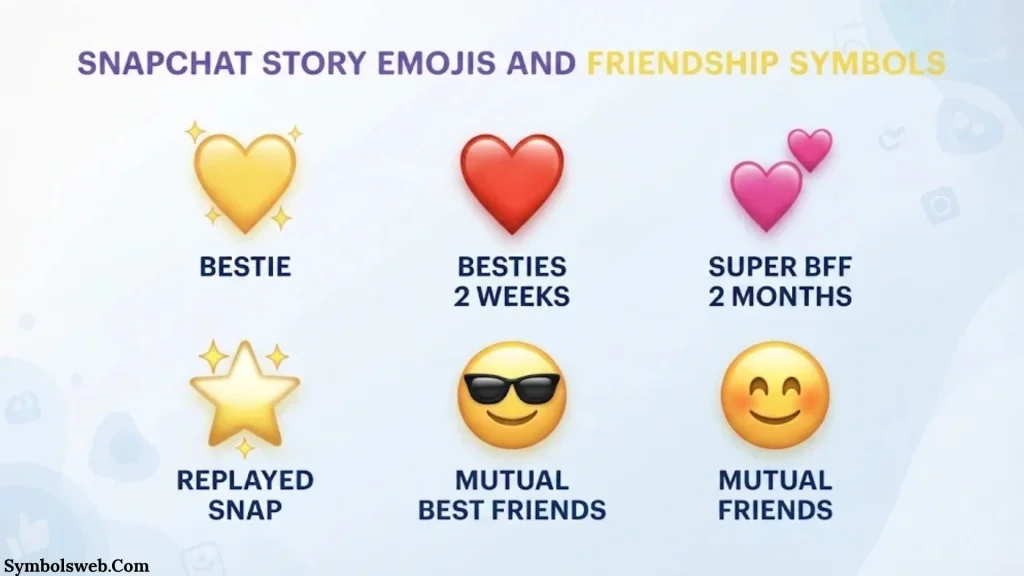
Not every emoji you see on Snapchat relates to Stories.
Some emojis represent friendship rankings, Snapstreaks, and personal connections. They commonly appear beside friends’ names in the Chat interface.
Understanding these symbols helps you avoid confusing friendship information with Story activity.
Yellow Heart (💛) Meaning on Snapchat
The yellow heart means you and another person are each other’s #1 Best Friends.
In other words, you send the most Snaps to each other compared with your other Snapchat friends.
For example, imagine you regularly exchange Snaps with one person throughout the day. If both of you become each other’s top Snap contact, Snapchat may display a yellow heart.
The yellow heart doesn’t mean someone viewed your Story or added you to a Private Story.
Red Heart (❤️) Meaning on Snapchat
The red heart represents a longer friendship milestone.
You and another person must remain each other’s #1 Best Friends for two consecutive weeks to earn it.
The general progression works like this:
- Yellow heart: You’re each other’s #1 Best Friends.
- Red heart: You’ve maintained that position for two weeks.
If your interaction patterns change, the emoji may eventually disappear.
Pink Hearts (💕) Meaning on Snapchat
The pink hearts represent an even longer Best Friends milestone.
Snapchat displays this emoji when you and another person have remained each other’s #1 Best Friends for two consecutive months.
It reflects a sustained pattern of frequent Snaps and interaction.
The pink hearts don’t indicate Story views, profile visits, or Private Story access.
Fire Emoji (🔥) Meaning on Snapchat
The fire emoji represents a Snapstreak.
A Snapstreak begins when two friends exchange Snaps for consecutive days.
To maintain the streak:
- Both friends must send each other a qualifying photo or video Snap.
- The exchange must continue within the required daily period.
- Ordinary text Chats don’t count toward maintaining the streak.
A number usually appears beside the fire emoji to show how many consecutive days the streak has continued.
For example, 🔥 25 means the two friends have maintained a 25-day Snapstreak.
The fire emoji is a friendship indicator rather than a Story symbol.
Hourglass Emoji (⌛) Meaning on Snapchat
The hourglass emoji warns that a Snapstreak is close to ending.
It usually appears when the required Snap exchange hasn’t happened within the usual time window.
If you want to keep the streak, both friends should exchange a qualifying Snap before it expires.
Don’t rely on the hourglass as a precise countdown. Snapchat doesn’t promise an exact number of remaining minutes through this emoji.
Birthday Cake Emoji (🎂) Meaning on Snapchat
The birthday cake emoji indicates a friend’s birthday through Snapchat’s birthday-related features.
You may see it beside their name when their birthday information and relevant settings allow the indicator to appear.
It makes it easier to recognize a friend’s birthday and send a greeting.
The cake emoji doesn’t mean the person uploaded a birthday Story. It identifies a birthday-related occasion.
Smiling Face and Sunglasses Emojis
Snapchat also uses facial emojis to show friendship relationships.
Smiling face (😊): This generally indicates that the person is one of your Best Friends, although they aren’t necessarily your #1 Best Friend.
Sunglasses face (😎): This indicates that you and another person share a Best Friend.
For example, you and a friend might both send frequent Snaps to the same person. Snapchat may display the sunglasses emoji to show that shared friendship connection.
These emojis reflect Snapchat’s friendship system rather than Story engagement.
Snapchat Story Types and Their Symbols
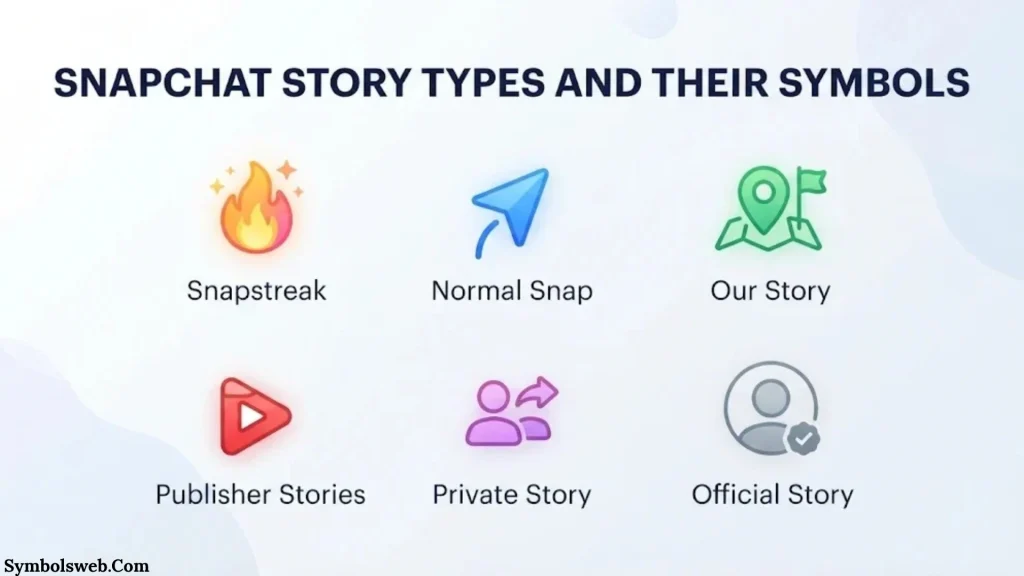
Snapchat offers different Story formats for different audiences. Knowing which format you’re viewing helps you understand who can access the content.
My Story Symbol
My Story is Snapchat’s traditional Story feature.
It allows you to share photos and videos that friends can view for a limited period.
Friends’ standard Stories are generally available for 24 hours. Snapchat also offers different Story formats and settings that can affect how content is shared.
You can use My Story to share:
- Daily activities.
- Personal photographs.
- Short videos.
- Special occasions.
- Updates with friends.
- Moments from trips and events.
Your privacy settings determine who can access friends-only Stories.
Private Story Symbol
The Private Story symbol is a padlock.
It identifies content shared with a selected group of friends.
For example, you might create one Private Story for family members and another for close friends.
The creator decides who can view each Private Story. People who aren’t invited aren’t notified that the Private Story exists.
Shared Story Symbol
A Shared Story allows multiple invited Snapchatters to contribute Snaps.
Unlike a Private Story, where only the creator can add content, Shared Stories allow participating members to contribute their own Snaps.
This feature works well for:
- Group celebrations.
- Family gatherings.
- School activities.
- Trips with friends.
- Shared events.
The creator and participating members can manage their contributions according to Snapchat’s available controls.
Public Story Symbol
A Public Story allows you to share content with a wider Snapchat audience.
It can be viewed by friends, followers, and other eligible Snapchatters depending on the account and visibility settings.
Snapchat separates My Story · Friends from My Story · Public.
This distinction matters because friends-only content and public content don’t have the same audience.
For example, a personal update intended for your friends may belong on My Story · Friends. A creator sharing public content may choose My Story · Public.
You can learn more through Snapchat’s official Public Story explanation.
Snapchat Spotlight vs. Stories
Spotlight and Stories are different content-sharing features.
Spotlight focuses on entertaining short-form videos that can reach a broader audience.
Stories allow users to share updates with friends, selected viewers, or public followers.
| Feature | Snapchat Stories | Snapchat Spotlight |
| Main purpose | Share updates | Discover entertaining videos |
| Content | Photos and videos | Short-form videos |
| Audience | Friends, selected viewers, or public | Broader eligible Snapchat audience |
| Privacy | Depends on Story settings | Subject to Spotlight rules |
| Main use | Personal updates and sharing | Video discovery and entertainment |
Don’t confuse a Spotlight video with a friend’s ordinary Story. Their viewing and discovery systems work differently.
Snapchat Story Notification and Interaction Icons
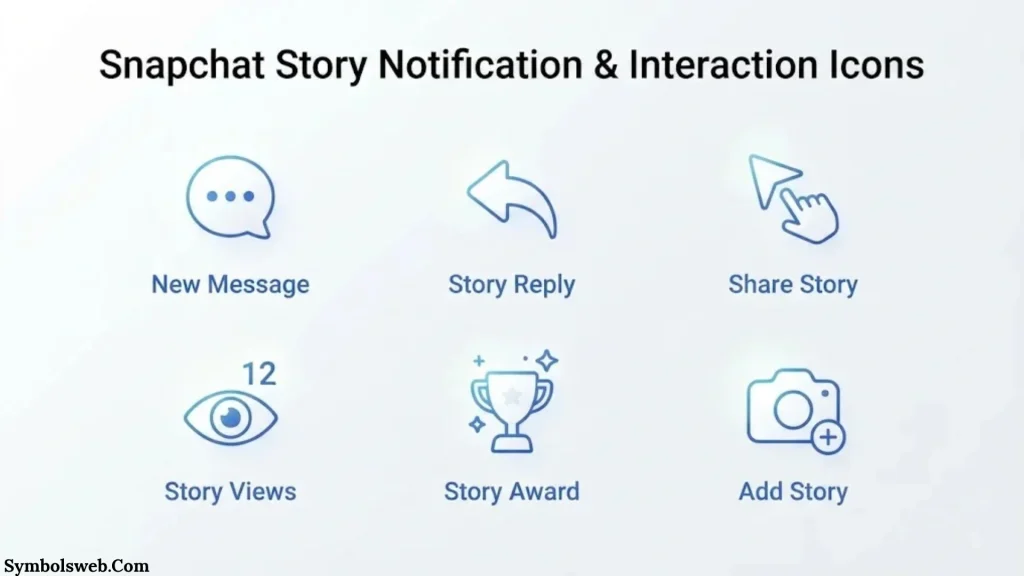
Snapchat provides several controls that help you respond to Stories and manage content.
These icons don’t all communicate Story status. Some are simply shortcuts for actions.
Camera Icon on Snapchat Story
The camera icon provides access to Snap-related interactions.
Depending on the screen, it may let you create or send a photo or video response.
You can use the camera to:
- Take a picture.
- Record a short video.
- Add lenses or filters.
- Send a Snap to a friend.
- Create content for a Story.
The camera symbol doesn’t indicate whether someone watched your Story.
Chat Bubble Icon
The Chat bubble opens a conversation or provides access to Story replies.
For example, when a friend posts a funny Story, you might respond with a message rather than sending a separate Snap.
Story replies and ordinary Chats are related but distinct interactions.
A Story reply begins with content someone posted. A regular Chat is a direct conversation between users.
Three-Dot Menu on Snapchat Story
The three-dot menu provides additional Story options.
Depending on the Story type and your permissions, you may find controls for:
- Reporting content.
- Managing Story settings.
- Deleting your own Story.
- Accessing additional content options.
- Managing available sharing features.
The exact options depend on whether you’re viewing your own Story or someone else’s content.
Share Arrow on Snapchat Story
The share arrow lets you share available content through Snapchat’s supported sharing options.
For example, you may be able to send a Story or related content to a friend.
However, not every Story supports every sharing action. Privacy settings and content permissions can limit what you can share.
Heart or Favorite Icon
Heart-shaped icons can represent different features depending on where they appear.
A yellow heart beside a friend’s name indicates a Best Friends relationship. A heart used as a Story interaction or favorite control may serve another purpose.
For example, Snapchat Spotlight has a heart-shaped Favorite control. This lets you save content to your Favorites and access it later.
Always identify the location before interpreting the heart icon.
Snapchat Plus Story Symbols and Premium Features
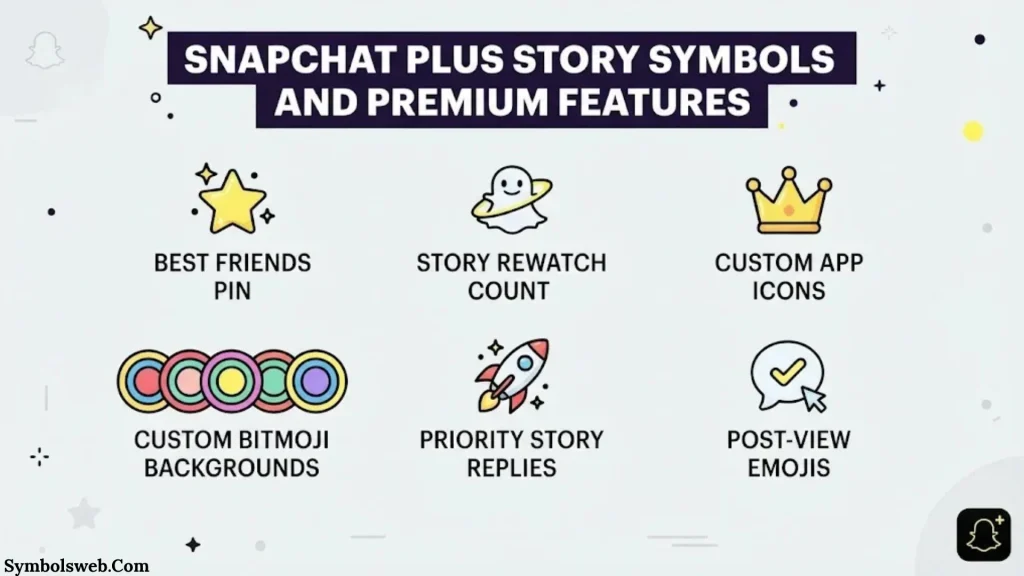
Snapchat+ is a paid subscription that provides access to additional features and customization options.
Some features affect how users view or analyze Story activity.
However, Snapchat+ doesn’t turn every colored ring or emoji into a premium symbol.
Snapchat+ Rewatch Indicator (👀)
The eyes emoji is the most recognizable Story-related Snapchat+ indicator.
It shows how many friends have rewatched your Story.
To manage it:
- Open your Snapchat profile.
- Tap your Snapchat+ membership card.
- Find the Story Rewatch Count setting.
- Switch the feature on or off.
The indicator doesn’t reveal the names of people who rewatched your Story.
It also doesn’t count every individual replay. It reports the number of friends who rewatched the content.
Snapchat+ Story View Notifications
Snapchat+ offers additional Story-related features and insights that may vary over time.
One such feature is Story View Notifications. It can notify eligible subscribers when a selected friend views their Story for the first time.
This is different from the Rewatch Indicator.
The two features serve separate purposes:
- Story View Notifications: Can notify you when a selected friend first views your Story.
- Rewatch Indicator: Shows how many friends rewatched your Story.
Neither feature gives you unrestricted access to another person’s private Snapchat activity.
Snapchat+ Story Timestamps
Story timestamps help you understand when content was posted or how old a Story is.
Snapchat may display time-related information in different parts of the interface.
These details are useful when following recent uploads or checking the availability of Story content.
However, a timestamp doesn’t reveal exactly when someone viewed your Story unless Snapchat explicitly provides that information.
Snapchat+ Friend Solar System and Planets
Snapchat’s Friend Solar System is a premium friendship feature.
It uses planets to represent your position in another person’s Best Friends ranking.
For example, a planet closer to the center of the solar system represents a higher friendship position.
The feature is associated with friendship rankings rather than Story viewing.
Here’s the important difference:
- Story ring: Indicates Story-related availability or interface status.
- Lock icon: Identifies a Private Story.
- Eyes emoji: Shows Story rewatch information.
- Planet icon: Represents a friendship ranking in the Friend Solar System.
The planets aren’t Story symbols, even though users sometimes encounter them while exploring friends’ profiles.
Snapchat+ Badge
The Snapchat+ badge identifies a user who has the subscription badge enabled.
It can appear near a person’s display name or profile information.
The badge doesn’t mean the person has watched your Story, taken a screenshot, or added you to a Private Story.
It simply relates to the account’s Snapchat+ subscription.
Snapchat Chat Symbols Related to Story Activity
Some users confuse Story indicators with Chat icons because both appear near friends’ names.
Snapchat uses different colors and shapes to communicate message status.
Here’s a quick reference to common Chat indicators.
| Chat icon appearance | General meaning |
| Filled red arrow | You sent a Snap without audio |
| Filled purple arrow | You sent a Snap with audio |
| Filled blue arrow | You sent a Chat |
| Outlined red arrow | Your Snap without audio was opened |
| Outlined purple arrow | Your Snap with audio was opened |
| Outlined blue arrow | Your Chat was opened |
| Filled red square | You received an unopened Snap without audio |
| Filled purple square | You received an unopened Snap with audio |
| Filled blue square | You received an unread Chat |
| Gray pending indicator | A Snap or Chat is pending or may have expired |
| Screenshot indicator | Someone captured a screenshot |
| Replay indicator | Your sent Snap was replayed |
These icons are useful when you want to understand whether someone received or opened your message.
However, they don’t replace Story viewer information.
For example, a blue Chat icon doesn’t mean someone watched your Story. It relates to a direct message.
You can check Snapchat’s official Chat Screen Icon Guide for more details.
Snapchat Story Privacy Symbols and Visibility Settings
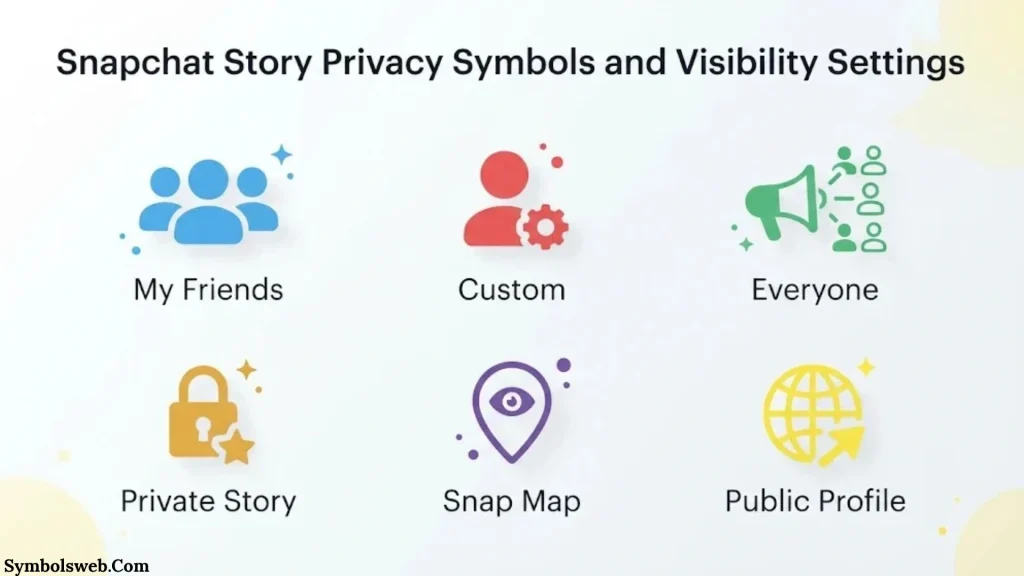
Privacy settings determine who can see your content.
Understanding these settings is just as important as recognizing the icons themselves.
Who Can View Your Snapchat Story?
Snapchat offers different audience options depending on the type of Story.
For My Story · Friends, the default audience is generally your Snapchat friends.
You can also use custom privacy settings to limit access.
Public Stories have a wider audience and may be visible to followers and other eligible Snapchatters.
Private Stories provide an even more selected audience.
How to Change Snapchat Story Privacy
Follow these steps to manage your friends-only Story audience:
- Open Snapchat.
- Tap your profile picture.
- Tap the Settings gear.
- Open My Privacy & Data.
- Find View My Story.
- Select My Friends or Custom.
For public sharing, use the My Story · Public posting option when it’s available for your account.
One important detail: Snapchat states that the privacy settings applied when you post a Snap remain in effect for that Snap. Changing your settings later doesn’t automatically change the audience of content you’ve already posted.
You can read the official Snapchat privacy settings guide.
Can Someone Know If You Viewed Their Snapchat Story?
Yes. Snapchat allows Story creators to see available viewer information.
If you watch someone’s Story, your name may appear in their viewer list.
The creator can open their Story and swipe up to check the available information.
However, viewing a Story doesn’t automatically send the creator a separate direct message.
Can Someone See If You Rewatch Their Story?
Snapchat+ users can access the Rewatch Indicator for eligible Stories.
The eyes emoji displays how many friends rewatched the content.
However, it doesn’t identify the specific people who returned to the Story.
This means the creator can receive a general rewatch count without seeing a complete list of repeat viewers.
Does Snapchat Notify Someone When You Screenshot a Story?
Snapchat can show screenshot activity when someone captures a Story using recognized screenshot functionality.
The creator can check available screenshot information through the Story viewer interface.
However, no screenshot notification system can guarantee detection of every possible recording method.
Someone could photograph the screen using another device, for example.
Therefore, avoid sharing sensitive information simply because a Story disappears after 24 hours.
Why Snapchat Story Symbols Change or Disappear
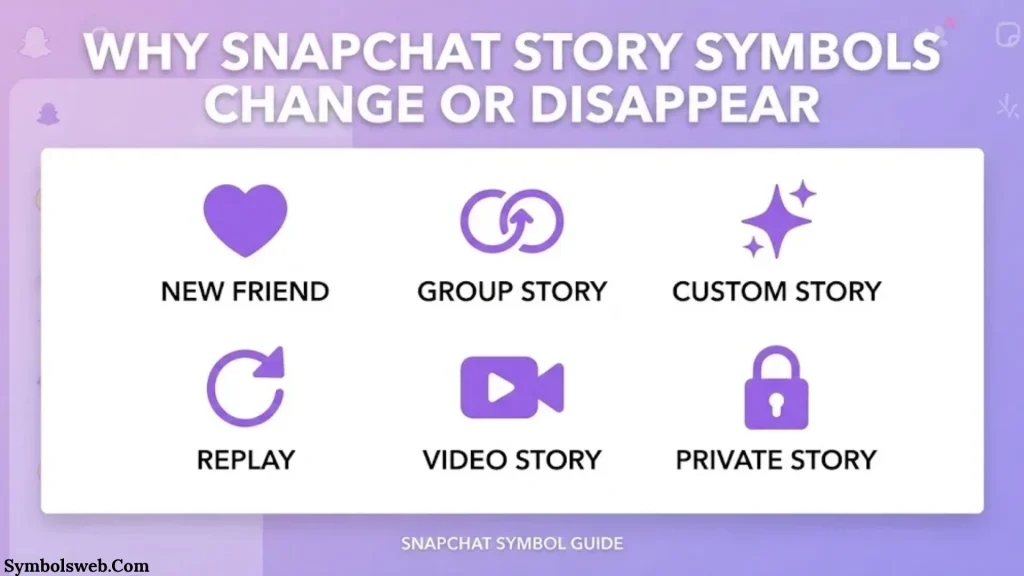
Sometimes an icon appears one day and disappears the next.
This doesn’t always indicate a problem with your account or friendship.
Several normal Snapchat activities can change the symbols you see.
Why Did My Purple Story Ring Disappear?
The purple ring commonly indicates an available Story that you haven’t viewed.
It may disappear or change after you watch the available content.
Other possible reasons include:
- The Story expired.
- The creator deleted the Story.
- The available content changed.
- Snapchat refreshed its interface.
A disappearing ring doesn’t automatically mean someone blocked you.
Why Did the Lock Symbol Disappear?
The lock icon identifies a Private Story.
If it disappears, the original content or its availability may have changed.
Possible reasons include:
- The creator deleted the Private Story.
- The Story expired.
- The creator changed the audience.
- Your access to the content changed.
You shouldn’t assume that the creator specifically removed you without additional evidence.
Why Did the Green Dot Disappear?
The green activity dot depends on recent activity and the user’s Activity Indicator settings.
It may disappear when:
- The person hasn’t been active recently.
- They disabled their Activity Indicator.
- Snapchat updates the displayed activity information.
The disappearance doesn’t prove that someone blocked you or removed you.
Why Did the Eyes Icon Disappear?
The eye emoji is associated with Snapchat+’s Rewatch Indicator.
It may not appear if:
- You’re not eligible for the feature.
- The Story Rewatch Count setting is disabled.
- The Story doesn’t have qualifying rewatch activity.
- The Story is no longer available.
- Your subscription or feature access has changed.
Check your Snapchat+ settings before assuming something is wrong.
Why Are Snapchat Symbols Different on iPhone and Android?
Snapchat’s interface can vary between devices.
Some differences come from:
- Different app versions.
- Gradual interface updates.
- Screen dimensions.
- Feature availability.
- Account settings.
- Operating system differences.
If an icon looks different from a friend’s screenshot, compare the app version and the screen where it appears.
How to Find and Understand Snapchat Story Symbols
When you encounter an unfamiliar icon, don’t guess its meaning based on color alone.
Use these steps to identify it more accurately.
Check the Symbol’s Location
First, identify where the icon appears.
It might be:
- Around a friend’s Bitmoji.
- Beside a Story preview.
- Inside a Private Story.
- Under your own Story.
- Within the Story viewer list.
- On a friend’s profile.
- Inside Snapchat Chat.
Location often provides the strongest clue.
Check the Symbol’s Color and Shape
Next, examine the icon itself.
Look at whether it’s:
- A filled circle.
- An outlined circle.
- A padlock.
- An arrow.
- A square.
- An emoji.
- A small notification dot.
For example, a filled blue Chat indicator and a purple Story ring don’t communicate the same thing.
Check Your Snapchat Account Features
Some indicators only appear when particular features are enabled.
For example, the eyes emoji belongs to the Snapchat+ Rewatch Indicator.
Likewise, the green activity dot depends on the Activity Indicator setting.
Check whether you’re using a standard account or Snapchat+ before interpreting premium indicators.
Update Snapchat to See the Latest Icons
If your interface looks different, check whether an app update is available.
On an iPhone, open the App Store and check Snapchat’s update options.
On Android, open Google Play and look for an available update.
After updating, reopen the app and check whether the interface has changed.
An update may improve the experience, but it doesn’t guarantee that every user will see identical features.
Common Mistakes When Interpreting Snapchat Story Symbols
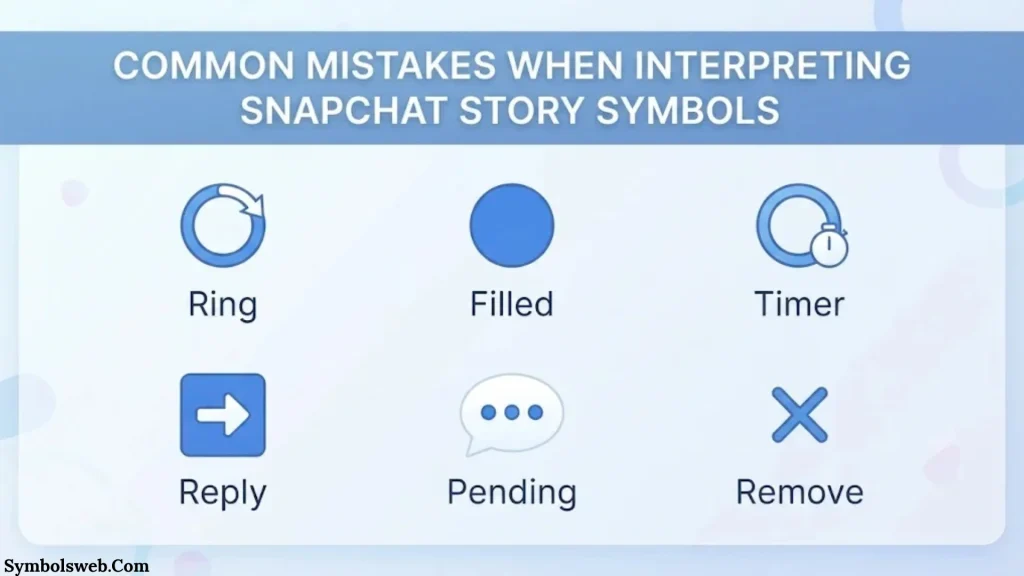
Snapchat’s visual indicators are useful, but misunderstanding them can create unnecessary confusion.
Here are some common mistakes worth avoiding.
- Confusing the green dot with online status: It indicates recent activity, not guaranteed real-time presence.
- Assuming the purple ring means Private Story: The padlock is the clearer Private Story indicator.
- Confusing eyes with total Story views: The eyes indicator counts friends who rewatched your Story.
- Treating friendship hearts as Story indicators: Hearts represent friendship milestones.
- Assuming every gold ring means Snapchat+: Gold coloring alone doesn’t establish subscription status.
- Confusing Chat screenshots with Story screenshots: They belong to different interfaces.
- Assuming a missing Story ring means someone blocked you: Expiration and viewing status can explain the change.
- Assuming Story views reveal profile visitors: Watching a Story and visiting a profile are different activities.
- Believing Snapchat+ reveals every viewer’s identity: Premium features don’t provide unlimited access to private viewer information.
- Treating a yellow profile dot as a friendship heart: The profile dot indicates updates, while the yellow heart represents a Best Friends relationship.
The safest approach is to identify the symbol’s location and check Snapchat’s official explanation.
Frequently Asked Questions About Snapchat Story Symbols
What Do the Symbols on Snapchat Stories Mean?
Snapchat Story symbols communicate different types of information. A purple ring commonly identifies an available Story you haven’t viewed. A lock indicates a Private Story, and the eyes emoji represents Story rewatches for eligible Snapchat+ users. Other indicators relate to activity, screenshots, and friendship features.
What Does the Purple Circle Around a Snapchat Story Mean?
A purple circle commonly indicates that a friend has posted a Story you haven’t watched yet. After viewing the available content, the ring may change or disappear depending on Snapchat’s current interface.
What Does the Lock Symbol Mean on Snapchat Story?
The lock symbol identifies a Private Story. It means the creator has selected specific friends who can view that content. People who aren’t invited aren’t notified that the Private Story exists.
What Does the Eyes Emoji Mean on Snapchat Story?
The eyes emoji represents Snapchat+’s Rewatch Indicator. It shows how many friends rewatched your Story. It doesn’t reveal their identities or count every individual replay.
What Does the Green Dot Mean on Snapchat Story?
The green dot indicates that a friend has been active on Snapchat recently. It doesn’t confirm that they’re currently online or that they’ve watched your Story.
What Does the Yellow Dot Mean on Snapchat Profile?
A yellow dot on your profile icon can indicate updates or notifications. These may include new Story views, friend requests, and other profile activity. Tap your profile icon to see what needs your attention.
What Does the Gold Ring Around a Snapchat Story Mean?
A gold or yellow ring doesn’t have one universal meaning across Snapchat. Its interpretation depends on where it appears and which feature you’re using. Check the surrounding interface rather than assuming it represents Snapchat+.
Can Someone See If You Screenshot Their Snapchat Story?
Yes. Snapchat can display screenshot activity when someone captures your Story using recognized screenshot functionality. The creator can check the available screenshot information by opening their Story and swiping up.
Can You Tell Who Rewatched Your Snapchat Story?
No. The Snapchat+ Rewatch Indicator shows how many friends rewatched your Story, but it doesn’t identify those friends. You can still check the regular Story viewer list for available viewer information.
Why Did My Snapchat Story Ring Change Color?
A Story ring may change after you watch the available content, when a Story expires, or when the interface updates. The exact meaning depends on the ring’s location and the type of Story.
Are Snapchat Story Symbols the Same for Everyone?
Not always. Symbols can look different depending on your device, app version, account features, and privacy settings. Snapchat+ subscribers may also see additional indicators that standard users don’t have.
Can You View Someone’s Snapchat Story Without Them Knowing?
Snapchat’s normal Story viewer system shows creators available information about people who watched their Stories. You shouldn’t assume that viewing a Story is anonymous. If you open someone’s Story through the regular Snapchat interface, your view may appear in their viewer list.
How Long Do Snapchat Stories Stay Visible?
Friends’ standard Stories are generally available for 24 hours. However, different Story formats and account settings may affect availability. A creator can also delete their content before the usual viewing period ends.
Final Thoughts on Snapchat Symbols Meaning on Story
Understanding Snapchat symbols’ meaning on Story makes the app easier to navigate. Each icon communicates something different, If it’s Story availability, privacy settings, viewer activity, or a premium feature.
The purple Story ring commonly indicates an available Story you haven’t watched. The padlock identifies a Private Story. The green dot shows recent activity, while the eyes emoji reveals rewatch information for eligible Snapchat+ subscribers.
Remember that friendship hearts, Snapstreak emojis, Chat arrows, and profile notification dots serve different purposes. They shouldn’t be confused with Story indicators.
Most importantly, always consider where a symbol appears before deciding what it means. Snapchat’s colors and icons can vary across different screens and features. Once you understand those differences, you’ll have a much clearer picture of how Stories work.

Eliana Foster is a writer with a passion for exploring the meanings behind symbols, traditions, and cultural history. She enjoys breaking down complex topics into simple, engaging articles that are easy for everyone to understand. Eliana is also the fictional author of The Hidden Language of Silent Marks and Beyond the Circle of Ancient Signs, two original book concepts created for her author profile. When she’s not writing, she loves visiting museums, reading about mythology, and researching the stories behind symbols from around the world. Her goal is to help readers discover the fascinating meanings hidden in everyday signs and ancient emblems.
 Ethan Holloway
 Jordan Hayes